⚠️ Important Information About Roster Declaration
The competition organizers define the conditions under which teams must declare their roster for each match. These conditions may include:
- Whether declaration is mandatory or optional: Even if roster declaration is optional, team captains may still choose to submit it for clarity and coordination.
- Deadline for declaration: Organizers may set a deadline for submitting the roster, which can be either before or after the match, depending on the competition rules.
- Mandatory Discord account synchronization: Each player listed in the roster must have their account linked to Discord (see creating and customize your profil)
To complete the roster declaration, each player must be assigned a role by the team captain: Frontline, Midline, or Backline (see As captain, managing team member roles)
If roster declaration is mandatory and a team fails to submit it within the specified timeframe, they may face sanctions as determined by the competition organizers (e.g., warnings, forfeits, or disqualification).
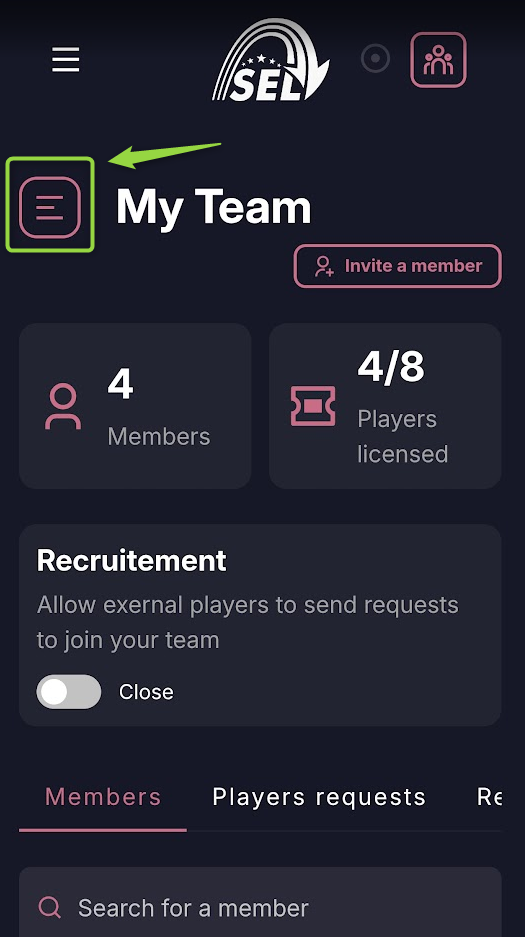
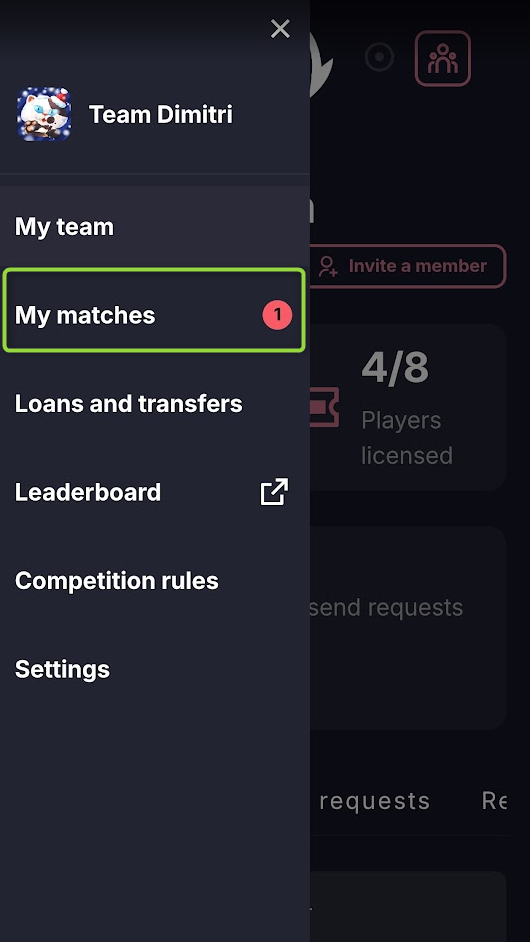
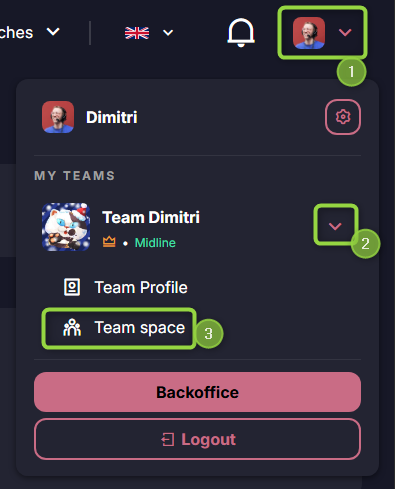
Go to Team Space then My matches.
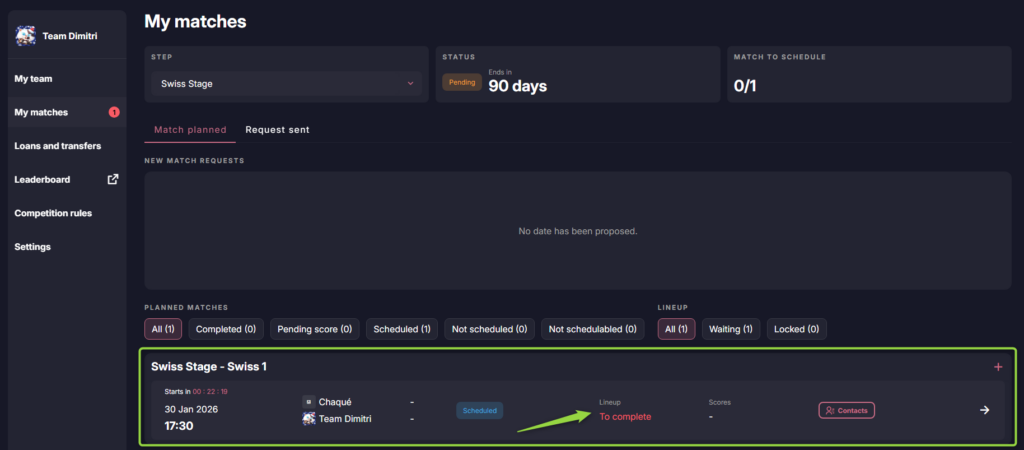
In My Matches section, you will see all matches requiring your attention:
- Scheduling the match date
- Building or editing the lineup for the match
- Entering the match score
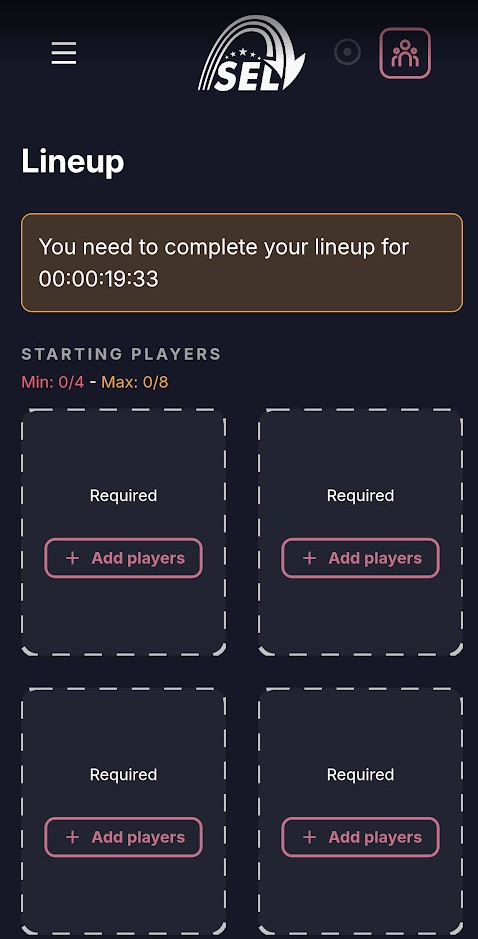
Click on the match, then on ‘Add player’ to add the players participating in the match.
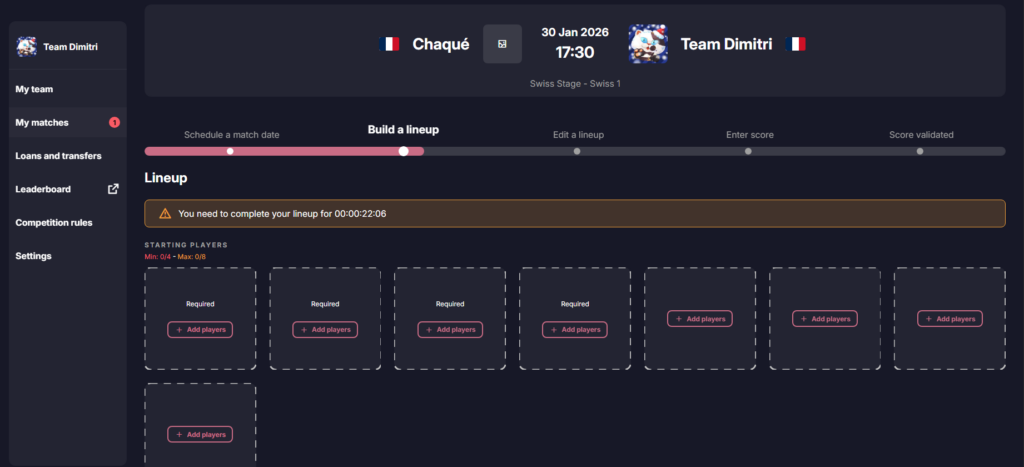
When you click Create Your Team, you’ll be able to choose your roster for the match:
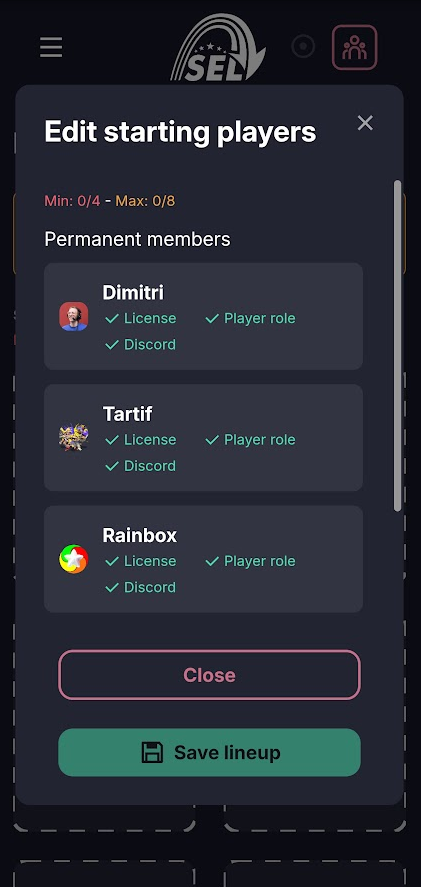
- Click Add to select your players. you can directly select the 4 starting players
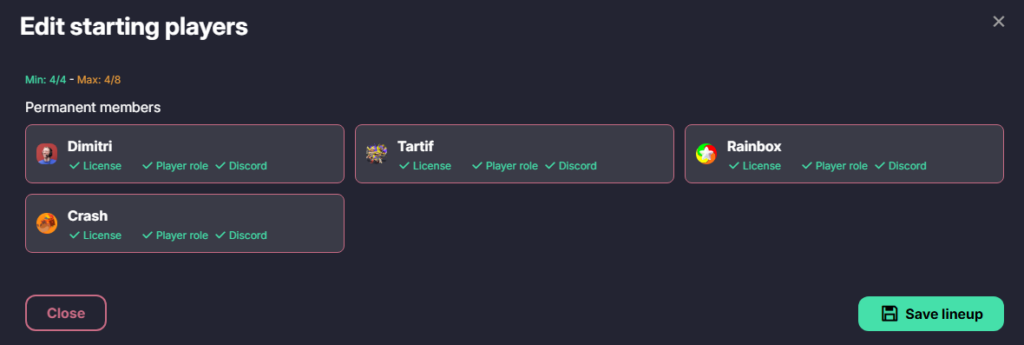
- Optionally, add up to 4 substitute players
For each player listed in your roster, the following conditions must be met to be eligible for the match:
- Discord Synchronization The player must have successfully linked their account to Discord.
- Role Assignment The team captain must assign the player a role: Frontline, Midline, or Backline.
- License Activation The player must have an active league license.
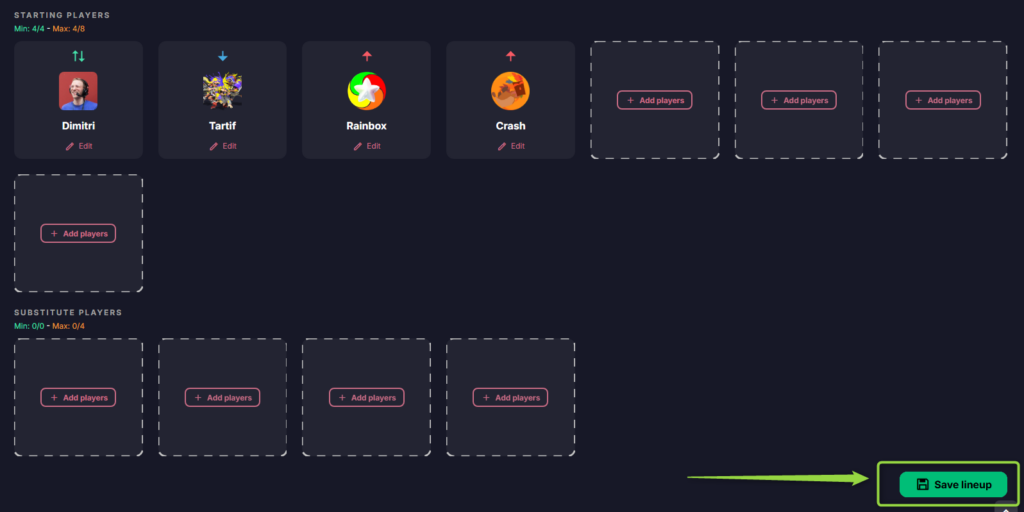
Don’t forget to “Save lineup”. Once your roster has been declared, you can modify it within the timeframe defined by your competition organizer.
All of these actions can be performed on a smartphone.