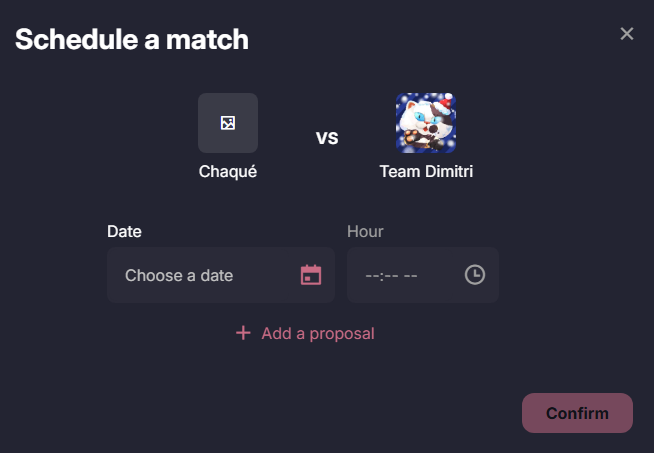
Team captains must agree on scheduling the League matches to be played. It is possible to propose dates and times, and to confirm the selected date on the platform
Of course, team captains can still discuss and agree on match details via Discord, but in all cases, the preferred date must be confirmed in the scheduling tool.
Upcoming Matches to Schedule
Go to Team Space then My matches.
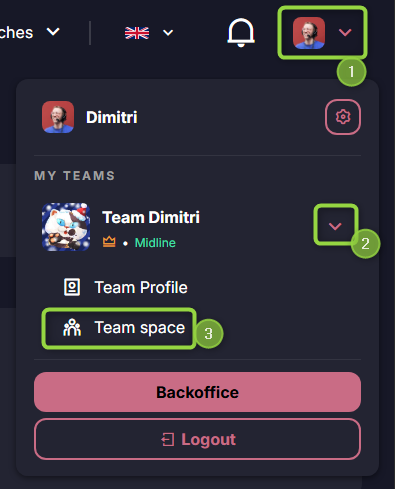
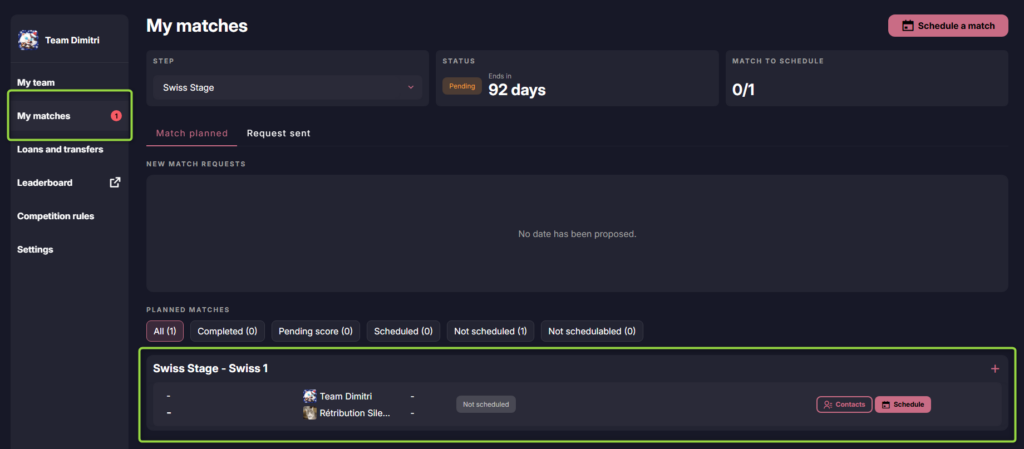
In My Matches section, you will see all matches requiring your attention:
- Scheduling the match date
- Building or editing the lineup for the match
- Entering the match score
You will see a list of teams with whom you need to schedule a match. For each team, the Discord ID of the captain is provided so you can reach out directly via Discord.
As for the order in which matches should be played, please refer to the TOs (Tournament Organizers) of your competition. They will inform you, for example, which match is to be played in which week if you have multiple matches to schedule in your list.
Propose Match Dates
Click on Schedule for your match

Then choose the date and time you’d like to suggest. Using +Add a Proposal, you can offer multiple options to the opposing team